Bookkeeping software for small businesses
None
Make tax time easier. Our bookkeeping software keeps your records updated and categorized. Save hours each month with automated transaction imports, receipt scanning, and more—for less than $1 a day.


Save time with bookkeeping automation
Small business owners spend 36% of their week on admin tasks (Time Etc.). Wave Pro frees you up by handling the repetitive work:
Unlimited bank & credit card connections
Secure, read-only, and PCI Level-1 certified.
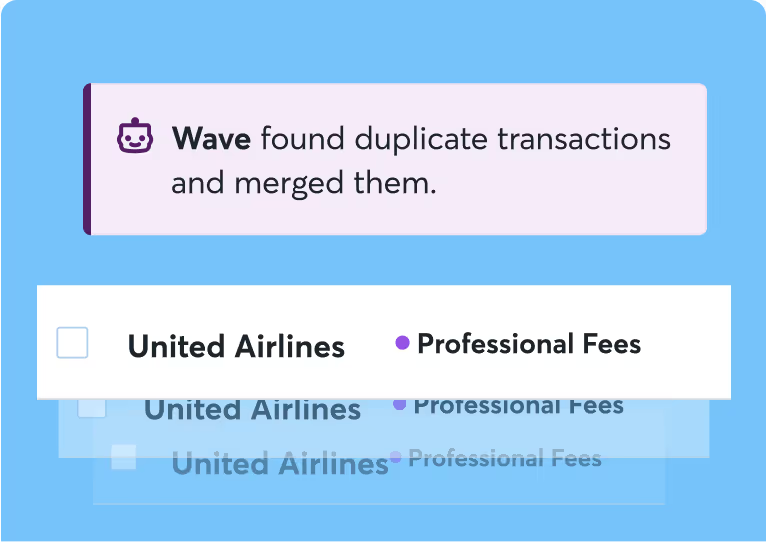
Automatic transaction imports & categorization
Say goodbye to manual entry.
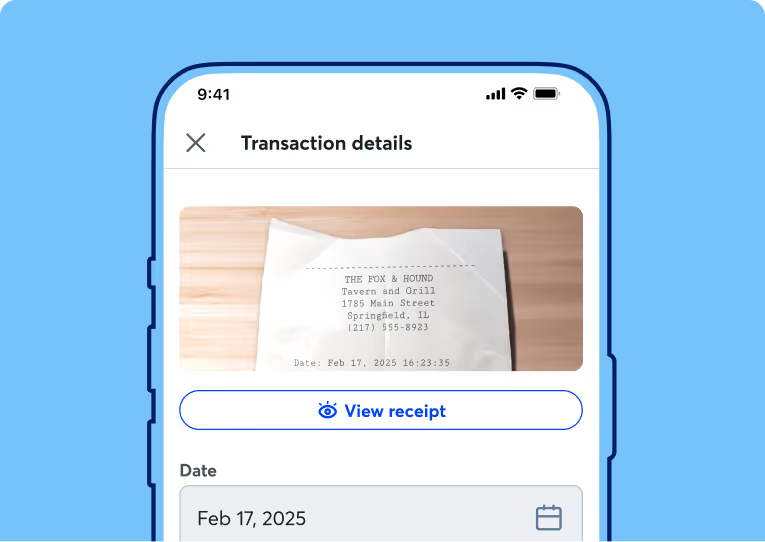
Receipt scanning with OCR
Snap a photo, bulk upload up to 10 receipts, and let Wave auto-populate the details.
Less mess, less-stress
small business bookkeeping

Make tax time a breeze
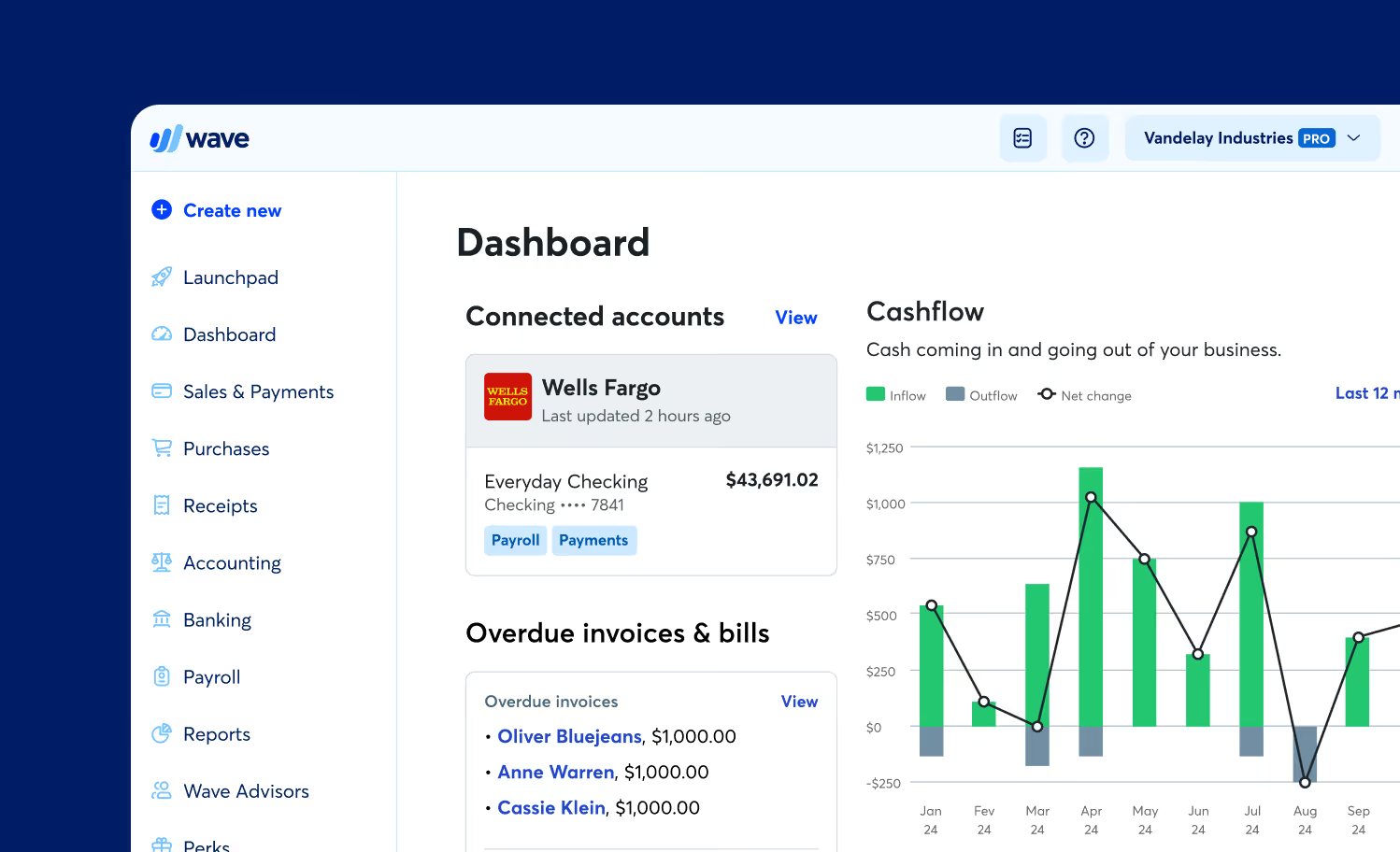
When everything is neatly where it belongs, tax time is simple. Wave’s smart dashboard organizes your income, expenses, payments, and invoices.
We’re serious about security
Bank data connections are read-only and use 256-bit encryption. Servers are housed under physical and electronic protection. Wave is PCI Level-1 certified for handling credit card and bank account information.
Accountant-friendly software
Wave uses real, double-entry accounting software. Don’t know what that is? No sweat. Accountants do, and they’ll thank you for it.
Stay tax-ready with clean books
and instant reports
Tax time doesn’t have to be stressful. Wave Pro keeps you organized with:
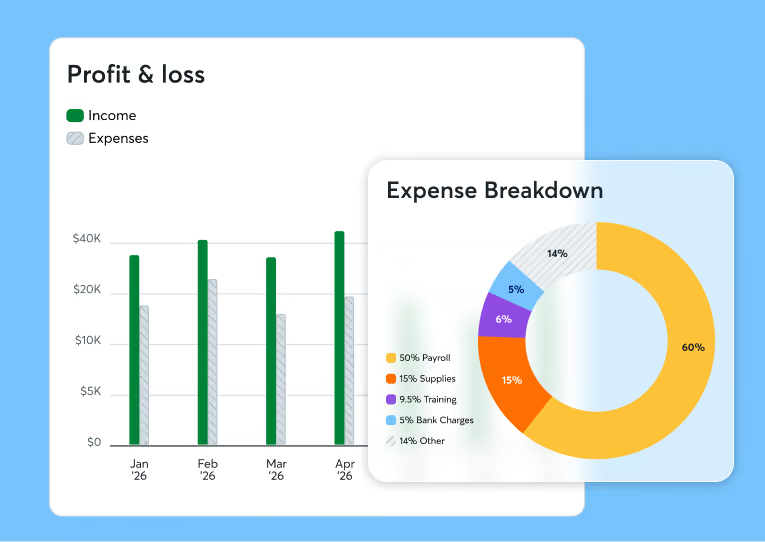
Smart bookkeeping dashboards
Track income, expenses, payments, and invoices in one place.
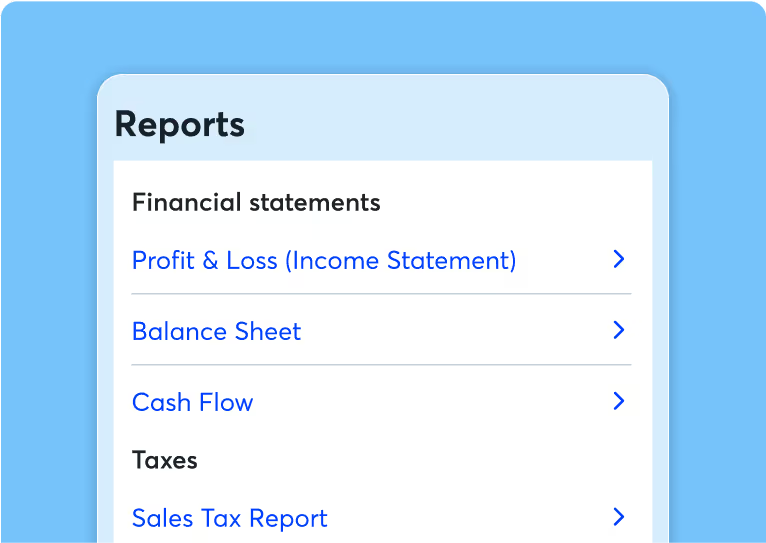
Automatic tax reports
Generate profit & loss, balance sheet, and cash flow reports instantly.
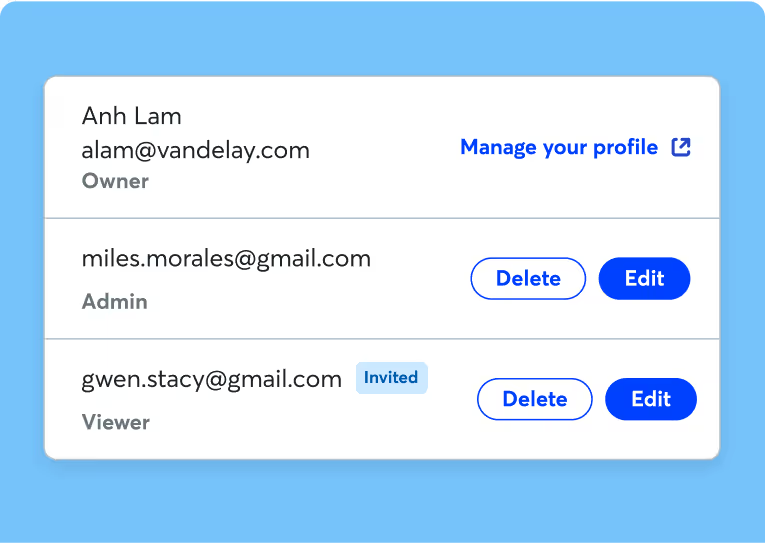
Unlimited user access
Invite your accountant, bookkeeper, or payroll manager to collaborate securely.
Over 300,000 small businesses trust Wave

"Wave makes your life a whole lot easier and takes that worry off you. I've tried Quickbooks—it's a bit more complicated and technical, and takes more time to set up."

“When I signed up with Wave it was a no brainer. It's been one of the best decisions I've made when it comes to making sure my accounting is on point.”

App Development
"It’s not just a cool piece of software, it is giving peace of mind to people. You deserve to know your taxes aren't something you have to sweat over the entire calendar year."
Why Wave is the wiser choice
Clunky interfaces and accounting jargon make tax time harder. Wave is easy (and fun!) to use.
Don’t get bogged down with features you don't even use. With Wave, you’ll access the time-saving tools you need, for less.
Setting up or migrating from QuickBooks is easy. You’ll get organized and prepared for tax season, fast.

Pick a plan that's right for you
Just starting your business or looking for the basics? This is the place.
Create unlimited estimates, invoices, bills, and bookkeeping records
Invoice on-the-go with the mobile app
Manage cash flow and customers in one dashboard
Want to look more polished, save more time, and conquer cash flow? It’s Pro time.
Auto-import bank transactions*
Auto-merge and categorize bank transactions
Digitally capture unlimited receipts and track expenses
Add unlimited users to your account
And more!
Just starting your business or looking for the basics? This is the place.
Create unlimited estimates, invoices, bills, and bookkeeping records
Invoice on-the-go with the mobile app
Manage cash flow and customers in one dashboard
Want to look more polished, save more time, and conquer cash flow? It’s Pro time.
Auto-import bank transactions*
Auto-merge and categorize bank transactions
Digitally capture unlimited receipts and track expenses
Add unlimited users to your account
And more!
Populated so that the section remains hidden on this page
Impress your customers with professional invoices
Create customizable invoices from templates with easy drag-and-drop editing. Add your logo, notes, and other personal touches.

Faster payments, better cash flow
Accept credit cards, bank payments, and Apple Pay for as little as 1%2 per transaction.
Your customers can use the secure “Pay now” button on your invoices to instantly pay you.

Your customers want to pay online
By making things more convenient for your customers, they’re likely to pay you 3x faster.³
Plus, you’ll enhance your brand and look more professional.
Never lose track of payments
With Wave, your invoices and payments flow into your accounting records, helping you stay organized and prepared for tax time.
Stop chasing clients around
Impress your customers with professional invoices
Create customizable invoices from templates with easy drag-and-drop editing. Add your logo, notes, and other personal touches.
Bookkeeping software that works as hard as you do
- Send professional invoices
- Get paid fast via credit card
- Easily manage cash flow
- Send professional invoices
- Get paid fast via credit card
- Easily manage cash flow
- Simple, reliable, and secure
- Easily manage cash flow
- Be ready for tax time


Bookkeeping software that works as hard as you do
Frequently Asked Questions
Processing fees
per transaction ($1.00 minimum fee)
See all payments features
Simple fee structure with low rates and no hidden fees
All major cards accepted: Visa, Visa Debit, Mastercard, Mastercard Debit, and American Express
Compatible with Apple Pay
Get paid within 1-2 business days for credit card payments and 1-7 business days for bank payments1
Set up recurring billing with automatic payments for your repeat customers with the Pro Plan or online payments
Bank-grade security for all online payments
Payments connect seamlessly with your Wave account, keeping your books in-sync
Processing fees
See all Payments features
Simple fee structure with low rates and no hidden fees
All major cards accepted: Visa, Visa Debit, Mastercard, Mastercard Debit, and American Express
Compatible with Apple Pay
Get paid within 1-2 business days for credit card payments and 1-7 business days for bank payments1
Set up recurring billing with automatic payments for your repeat customers with the Pro Plan or online payments
Bank-grade security for all online payments
Payments connect seamlessly with your Wave account, keeping your books in-sync
*We use Plaid to facilitate bank connections. Not all financial institutions are supported so we can’t guarantee that you will be able to connect an account. Check Plaid's troubleshooting guide for more information or learn more about how bank connections work at Wave.
Processing fees
Credit Cards
See all Payments features
- Simple fee structure with low rates and no hidden fees
- All major cards accepted: Visa, Visa Debit, Mastercard, Mastercard Debit, and American Express
- Compatible with Apple Pay
- Get paid within 1-2 business days for credit card payments and 1-7 business days for bank payments1
- Accept credit card payments over the phone, online, or in person
- Set up recurring billing with automatic payments for your repeat customers with the Pro Plan
- Bank-grade security for all online payments
- Automate bookkeeping: payments connect seamlessly with your Wave account
Frequently Asked Questions
Is Wave's software something I need to install?
Wave's tools are web-based, so you just need an Internet connection and browser—no installation is necessary for our online software!
If you're looking for an on-the-go solution, you can install our mobile app to help you manage invoices and payments. Download our mobile app on iOS and Android today!
What if I just want to try Wave to see if it works for my business?
Sign up for the Starter Plan to take the bookkeeping and invoicing basics for a spin. Then, whenever you’re ready, upgrade to the Pro Plan to unlock even more money management features. Our plans are built for small business owners at every stage!
Can I change plans easily?
You bet! To upgrade to the Pro Plan, sign into Wave. Visit your dashboard or use your invoicing or accounting features, and click the “Upgrade now” button. Learn more about changing subscription periods and plan types in our Help Center.
Is my data secure when I use Wave?
Our servers are protected physically and electronically. Any connections between you, your bank accounts, and Wave are protected by 256-bit SSL encryption. Wave is a PCI-DSS Level 1 Service Provider.
Do you provide customer support?
We provide different levels of support, depending on the plan and/or the add-on features you choose. Learn more about how Wave support works here.
Is it easy to cancel for any reason after I subscribe?
Yes, you can unsubscribe at any time! The cancellation of your subscription will take effect at the end of the billing period in which you cancel. Learn how to cancel your subscription in our Help Center.
Can I import my data from other accounting apps like Quickbooks?
Yes, switching from other accounting apps or products to Wave is easy! See our step-by-step guide here on how to switch to Wave from Quickbooks.
Are you switching from Freshbooks? Check out our step-by-step guide here on how to switch to Wave from FreshBooks.
Stuck in the sheets? Check out our step-by-step guide here on how to switch to Wave from a spreadsheet.
Can I set different account privileges for employees or my accountant?
Yes! Wave makes it easy to invite additional users to your account to help with your accounting. You can grant access to a trusted individual—an accountant, bookkeeper, tax preparer, or business partner, for example—by inviting that person to be a collaborator. See our step-by-step guide on how to invite collaborators to your Wave account.
Why should I switch from my current accounting solution to Wave?
Wave has all the key features you need to keep your books accurate and run your business smoothly. Our double-entry accounting software is trusted by over 2 million small business owners.
With Wave, you'll also have an entire suite of money management features at your fingertips, including invoicing, payroll, and online payment processing. Send invoices to clients, get paid, and manage your books, all in one convenient platform. Wave is truly simple money management solutions for small business owners like you!
What features should I look for in an accounting tool?
Some accounting features you should look out for include the ability to:
- Track income and expenses
- Measure accounts payable and accounts receivable
- Capture and organize receipts
- Automate basic accounting tasks
- Run basic bookkeeping reports
- Generate financial statements
- Calculate cash flow for your business
- Track sales and sales tax
- Add multiple users, such as your bookkeeper or accountant
How does accounting software work?
Accounting software helps business owners understand how money flows in and out of their businesses. It replaces the time-consuming method of collecting receipts in a drawer and manually tracking revenue and expenses in a spreadsheet or with pen and paper.
The right software helps business owners quickly categorize transactions and generate financial statements. These include cash flow reports, balance sheets, profit and loss statements, and expense breakdowns.
Accounting software like Wave can also seamlessly connect with your bank accounts so you can automate tasks like recording transactions and generating reports. This can help you save time and make financial decisions quickly.
Why should I use accounting software for my business?
The right small business accounting software can take the stress out of balancing your business's books, separating your business and personal expenses, and prepping your business for tax season.
Switching from spreadsheets to accounting software can help you organize your financial documents and statements, reduce headaches during tax season, and remove unnecessary manual work.
When equipped with the right accounting software, you can do more than just basic bookkeeping. You can effectively analyze the financial health of your business, find ways to generate more profit, and move forward with your business plan.
Does Wave’s accounting tool work with my bank?
With a Pro Plan subscription, you can connect your bank account with Wave and automatically import your transactions. This can help you make bookkeeping a breeze.
*We use Plaid to facilitate bank connections. Not all financial institutions are supported so we can’t guarantee that you will be able to connect an account. Check Plaid's troubleshooting guide for more information or learn more about how bank connections work at Wave.