
How to file taxes as an LLC: Step-by-step guide for small business owners

Filing taxes as an LLC can feel intimidating—especially if it's your first time. But it doesn't have to be.
Whether you're a consultant, contractor, or creative running your own show, understanding how your LLC is taxed will make your life a whole lot easier. From choosing your tax classification to filing the right forms on time, this guide will walk you through what to expect, and how to stay organized and compliant using software like Wave.
We’ll break down the essentials:
- How LLCs are taxed
- What forms are required
- The actionable steps you need to take to stay on top of your taxes
Plus, we'll show you how Wave can simplify the whole process by helping you track income, categorize expenses, and generate tax-ready reports automatically.
Understanding how LLCs are taxed
One of the biggest perks of forming an LLC is tax flexibility. Unlike corporations, LLCs aren't taxed as separate entities by default. Instead, the IRS allows you to choose how your LLC is classified for tax purposes:
- Single-member LLC: Treated as a sole proprietorship (unless you elect otherwise)
- Multi-member LLC: Treated as a partnership (unless you elect otherwise)
- Optional S-corp or C-corp election: You can choose to be taxed as a corporation if it makes sense for your business
Pass-through taxation: What it means for you
Most LLCs use what's called "pass-through taxation." This means the business itself doesn't pay income tax. Instead, profits (or losses) pass through to your personal tax return, where you report and pay taxes on them.
The big advantage? You avoid the double taxation that corporations face, where both the business and the owners pay taxes on the same income.
Self-employment tax: A key consideration
As an LLC owner, you're typically subject to self-employment tax on your share of the profits. This covers Social Security and Medicare contributions—essentially what you'd pay if you were an employee, but now you're covering both the employer and employee portions.
Here's where things get interesting: if you elect S-corp status, you may be able to reduce your self-employment tax burden by paying yourself a reasonable salary and taking the rest as distributions (which aren't subject to self-employment tax). This strategy doesn't work for everyone, but it's worth exploring if your LLC is turning a solid profit.
The critical requirement here is that the salary must be "reasonable compensation" for services performed. The IRS strictly enforces this rule, and paying a minimal or zero salary could lead to an audit, incurring back taxes, or incurring penalties. An H&R Block tax professional can help you determine if this strategy works for you and your business.
How Wave helps: Use Wave to track income, categorize expenses, and view your net profit in real time. This gives you an accurate picture of what you'll owe in self-employment taxes, so there are no surprises come tax season.
Step-by-step guide to filing taxes as an LLC
Ready to tackle your LLC taxes? Follow these six steps to stay organized and compliant:
Let's dive into each step.
1. Choose or confirm your LLC's tax classification
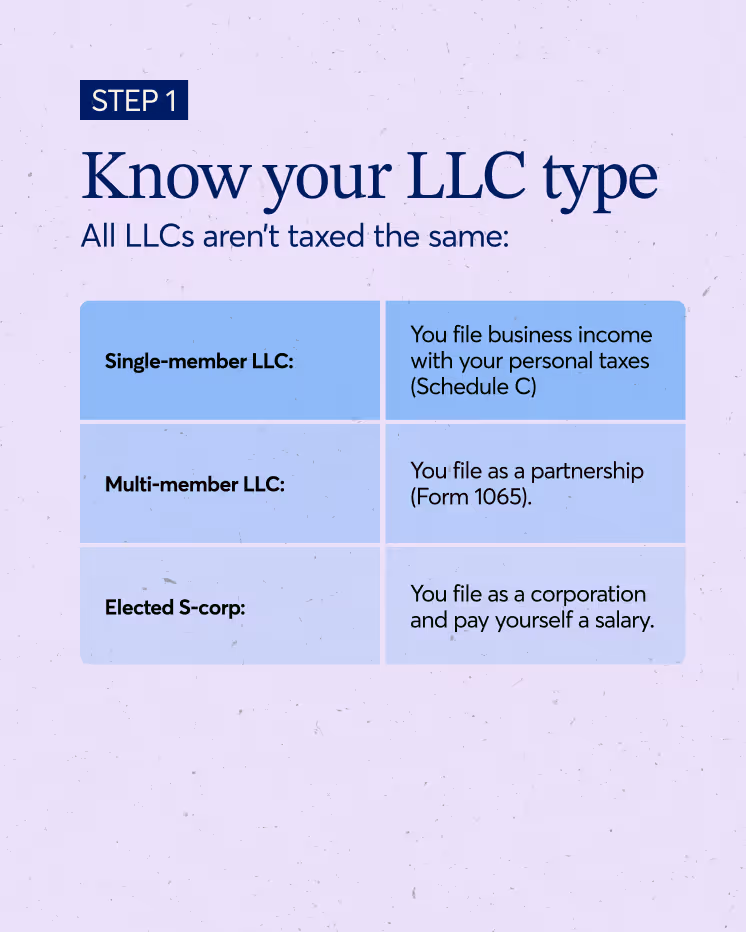
First things first: you need to know how your LLC is classified for tax purposes. If you haven't made an election, here's what applies by default:
- Single-member LLC: You're automatically treated as a disregarded entity (sole proprietorship)
- Multi-member LLC: You're automatically treated as a partnership
If you want to change your classification, you'll need to file the appropriate form:
- Form 2553 to elect S-corp status
- Form 8832 to elect C-corp status
Keep in mind that S-corp election has a deadline—typically March 15 for the current tax year. For the 2025 tax year, the deadline was March 17, 2025 (March 15, 2025 fell on a weekend). For the 2026 tax year, the deadline will be March 16, 2026 (March 15, 2026 falls on a Sunday).
If you missed the 2025 deadline, you might be eligible for late election relief. The IRS provides procedures that allow for an extension if you can demonstrate "reasonable cause" for the delay and meet specific criteria.
2. Gather financial records and documents
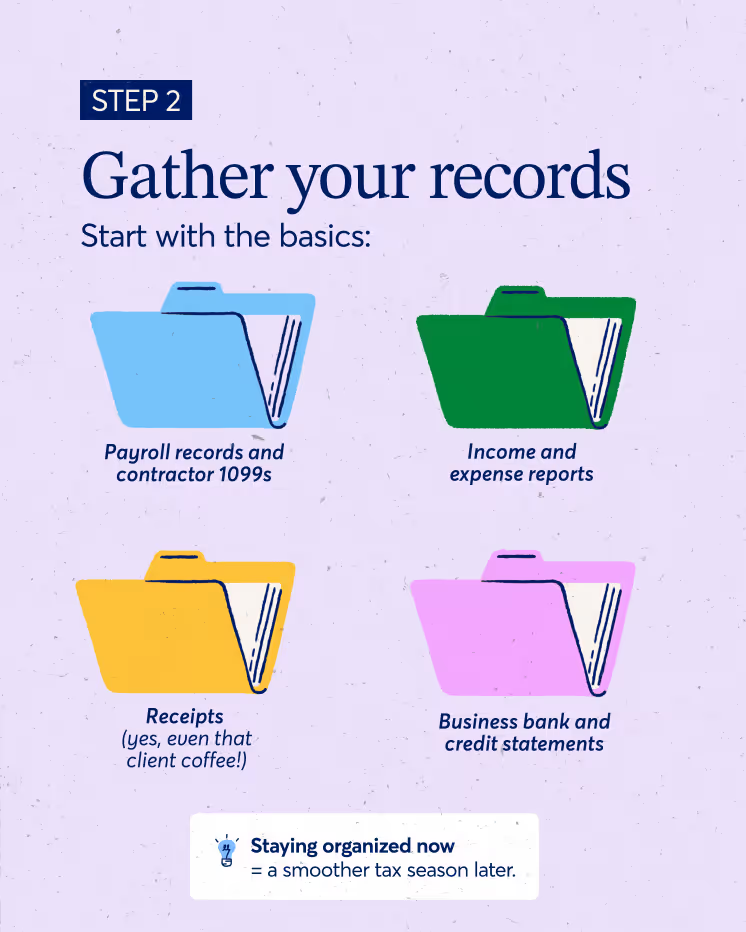
Before you can file your taxes, you need to round up all the financial documents that tell the story of your business year. This includes:
- Profit and loss statements: Shows your revenue and expenses
- Expense reports: Itemized list of deductible business expenses
- Receipts and invoices: If you worked with contractors or freelancers
- W-9s and 1099s: Proof of income and expenses
- Payroll reports: If you have employees (Forms 940, 941, W-2)
Wave makes this easy: Instead of hunting through shoeboxes and email folders, use Wave to automatically organize your income, expenses, and receipts throughout the year. When tax time rolls around, everything you need is already in one place.
3. Complete and submit the right tax forms

The forms you need to file depend on how your LLC is classified. Let's break it down:
Single-member LLC (Default: Sole proprietorship)
- Form 1040 Schedule C: Report your business income and expenses
- Schedule SE: Calculate and pay self-employment tax
You'll file these forms along with your personal tax return (Form 1040).
Multi-member LLC (Default: Partnership)
- Form 1065: Partnership tax return
- Schedule K-1s: Each member receives a K-1 showing their share of income, deductions, and credits to report on their personal return
S-Corp LLC (If you've elected S-corp status)
- Form 1120-S: S-corporation tax return
- Schedule K-1s: Each shareholder receives a K-1
- Payroll reporting: Forms 940, 941, and W-2s if you pay yourself a salary
S-corp status adds complexity, but it can save you money on self-employment taxes if done correctly.
4. File your state LLC taxes (If applicable)
Don't forget about state taxes. Depending on where your LLC is registered, you may need to file additional state-level returns or pay franchise or excise taxes. Some states with notable requirements include:
- California: Annual franchise tax of $800, plus additional fees based on income
- New York: Filing fees and potential additional taxes depending on your business structure
- Texas: Franchise tax for LLCs with revenue over a certain threshold
Check your state's tax authority website to confirm what's required for your LLC.
5. Make estimated quarterly payments
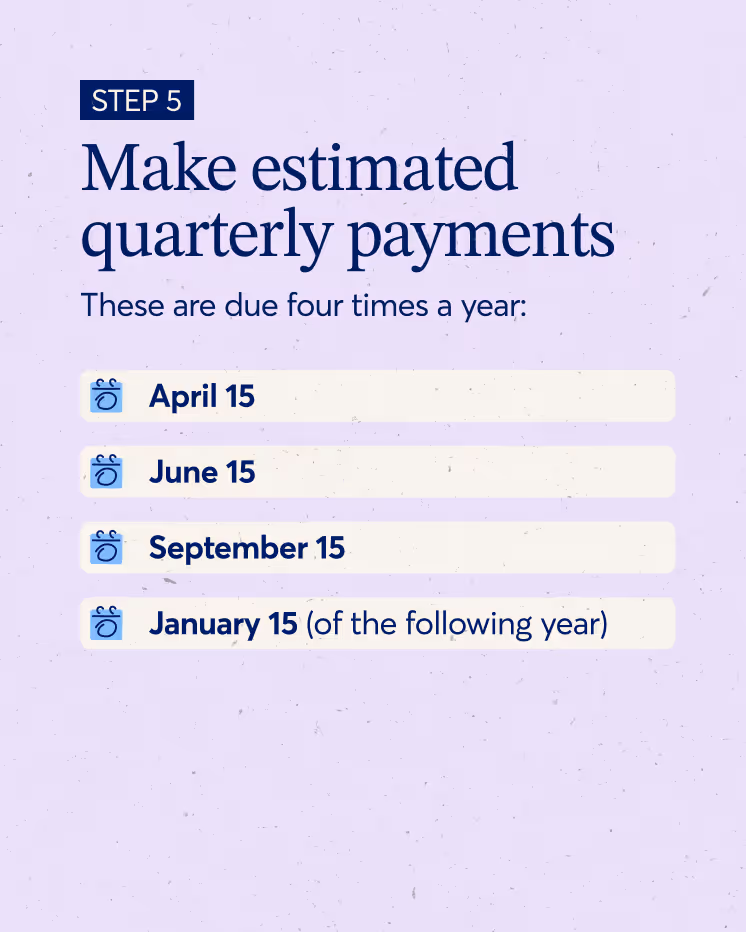
If you expect to owe $1,000 or more in taxes for the year, the IRS will likely require you to make estimated quarterly tax payments. These are due four times a year:
- April 15
- June 15
- September 15
- January 15 (of the following year)
Use Form 1040-ES to calculate and submit your estimated payments. Missing these deadlines can result in penalties and interest charges.
Wave helps here too: Track your income and expenses in real time to forecast your quarterly tax liability. Set aside the right amount each quarter so you're never caught off guard.
6. Work with a professional (Optional)
Filing taxes as an LLC can get complicated, especially if you have multiple members, employees, or you've elected S-corp status. If you're feeling overwhelmed, working with a tax professional can give you peace of mind.
Wave Advisors offers two services to help:
- Bookkeeping support: Get an in-house bookkeeper to categorize and reconcile your transactions on a monthly basis, keeping you organized and ready for tax season.
- Accounting coaching: Schedule a live 1:1 session with an accounting professional who can walk through your books, provide recommendations, and give you confidence when tax season arrives.
Block Advisors also offers comprehensive tax services for small businesses, including:
- Year-end tax filing readiness: Work with a tax pro to organize documents and identify opportunities for credits and deductions.
- Year-round tax planning services: Get individualized care with check-ins scheduled throughout the year.
- Small business tax consulting: Talk with a certified tax pro about your taxes and get personalized help and recommendations.
Common LLC tax filing mistakes to avoid
Even the most organized business owners can slip up when it comes to taxes. Here are some common mistakes to watch out for:
Mixing personal and business expenses
Using your business account for personal purchases (or vice versa) creates a mess at tax time. Keep your finances separate to make categorizing expenses easier and protect your liability protection.
Missing the S-corp election deadline
If you want to be taxed as an S-corp, you need to file Form 2553 by March 15 for the current tax year. Miss this deadline, and you'll have to wait until next year.
Forgetting to file quarterly taxes
Skipping estimated quarterly payments can result in penalties and a big tax bill in April. Set reminders and make it a priority to pay on time.
Failing to issue 1099s or W-2s correctly
If you paid contractors $600 or more during the year, you need to issue them a 1099-NEC. If you have employees, you need to issue W-2s. Missing these forms can result in fines.
If you paid an independent contractor $600 or more (or specific forms of rent/royalty) in the course of your trade or business, you must file Form 1099-NEC (Non-employee Compensation) with the IRS and furnish a copy to the contractor. The deadline for furnishing is typically January 31.
Not keeping organized records for deductions
The IRS requires documentation for any deductions you claim. If you can't prove an expense, you can't deduct it. Keep receipts, invoices, and records organized throughout the year!
Wave keeps you audit-ready: Automatically categorize and store all transactions, receipts, and documents in one place. If the IRS ever comes knocking, you'll have everything you need at your fingertips.
How Wave helps LLC owners stay ready for tax time
Tax season doesn't have to be stressful. Here's how Wave make things easier for LLC owners:
Automated bookkeeping
Wave automatically tracks and categorizes your income and expenses, so you always know where your money is going. No more manual spreadsheets or guesswork.
Tax-ready reports
Generate balance sheets, profit and loss statements, and other financial reports with a few clicks. Export your data to share with your CPA or import into tax software.
Receipt and document storage
Store invoices, receipts, and tax forms in one secure place. Wave’s mobile app lets you snap photos of your receipts on-the-go, then attach them to the right transactions!
Estimated tax tracking
Monitor your profit in real time and project your upcoming tax liability with Wave's handy dashboard, designed for small business owners like you. Set aside the right amount for quarterly payments so you're never scrambling!
FAQs about filing taxes as an LLC
Do I need an EIN to file taxes for my LLC?
It depends. Single-member LLCs taxed as sole proprietorships can use the owner's Social Security Number (SSN). While legally allowed for tax filing, most banks require an Employer Identification Number (EIN) to open a business bank account. Using an SSN also exposes the owner to identity theft if they provide W-9s to clients. For security purposes, we recommend getting an EIN; it's free and can be done online through the IRS website.
If you have employees, elect S-corp or C-corp status, or have multiple members, an EIN is legally required. Again, it's free and can be done online.
Can I file LLC taxes myself, or do I need a tax preparer?
You can file LLC taxes yourself if your situation is straightforward (single-member LLC with no employees, for example). However, if you have multiple members, employees, or have elected S-corp status, working with a tax professional can help you avoid costly mistakes and maximize deductions.
What happens if I file late or miss a quarterly payment?
Filing late or missing estimated quarterly payments can result in penalties and interest charges. The IRS charges a failure-to-file penalty (5% per month, up to 25% of the unpaid taxes) and a failure-to-pay penalty (0.5% per month). To avoid these penalties, file on time and make your estimated payments by the deadlines.
How do I switch my LLC's tax classification?
To switch from the default classification (sole proprietorship or partnership) to S-corp or C-corp status, you'll need to file the appropriate form with the IRS:
- Form 2553 for S-corp election (due by March 15 for the current tax year)
- Form 8832 for C-corp election (generally file within 75 days after the effective date you want, but you can also file it up to 12 months before the effective date)
Consult with a tax professional before making the switch to ensure it's the right move for your business.
Make LLC tax filing simple and stress-free
Filing taxes as an LLC doesn't have to be overwhelming. With the right tools and a solid understanding of your tax classification, forms, and deadlines, you can stay compliant and even find opportunities to save money.
Here's what to remember:
- LLCs offer flexible tax options that can make your life easier
- Understanding your classification and filing deadlines helps you avoid penalties
- Staying organized with Wave makes tax time easier and less stressful
Whether you're a first-time LLC owner or a seasoned entrepreneur, Wave is here to help you manage your money like a pro. Track your income, categorize expenses, and generate tax-ready reports, all in one intuitive platform designed for small business owners.
Ready to boss your LLC taxes? Sign up for Wave today and see how easy bookkeeping can be.


(and create unique links with checkouts)
*While subscribed to Wave’s Pro Plan, get 2.9% + $0 (Visa, Mastercard, Discover) and 3.4% + $0 (Amex) per transaction for the first 10 transactions of each month of your subscription, then 2.9% + $0.60 (Visa, Mastercard, Discover) and 3.4% + $0.60 (Amex) per transaction. Discover processing is only available to US customers. See full terms and conditions for the US and Canada. See Wave’s Terms of Service for more information.
The information and tips shared on this blog are meant to be used as learning and personal development tools as you launch, run and grow your business. While a good place to start, these articles should not take the place of personalized advice from professionals. As our lawyers would say: “All content on Wave’s blog is intended for informational purposes only. It should not be considered legal or financial advice.” Additionally, Wave is the legal copyright holder of all materials on the blog, and others cannot re-use or publish it without our written consent.
Read next